
For corporations
AppColl Tandem for Corporations
If your law firm uses AppColl, your company can see its IP portfolio for free
When your outside counsel manages your matters in AppColl, they can share them with your company through AppColl® Tandem, a no-cost account that your company owns. Your matters, deadlines, contacts and documents sync to it from the firm's AppColl account, so your team always knows where your portfolio stands without sending a status request.
Work with more than one firm that uses AppColl? They can all sync to the same Tandem account, so your whole portfolio lives in one place.
Received a Tandem invitation?
It means your law firm uses AppColl and has set up a free Tandem account for your company. The email comes from AppColl on your firm's behalf. Here is what to do.
1
Open the email
Click the link in the invitation email to create your free Tandem account. There is nothing to buy and no card to enter.
2
Check your details
Confirm your email, first name and last name. If anything is wrong, ask the person who invited you to correct it and send the invitation again.
3
Choose a password
Enter a password, retype it, and click Setup Login. You may be asked to log in once more with your new details.
4
Accept and explore
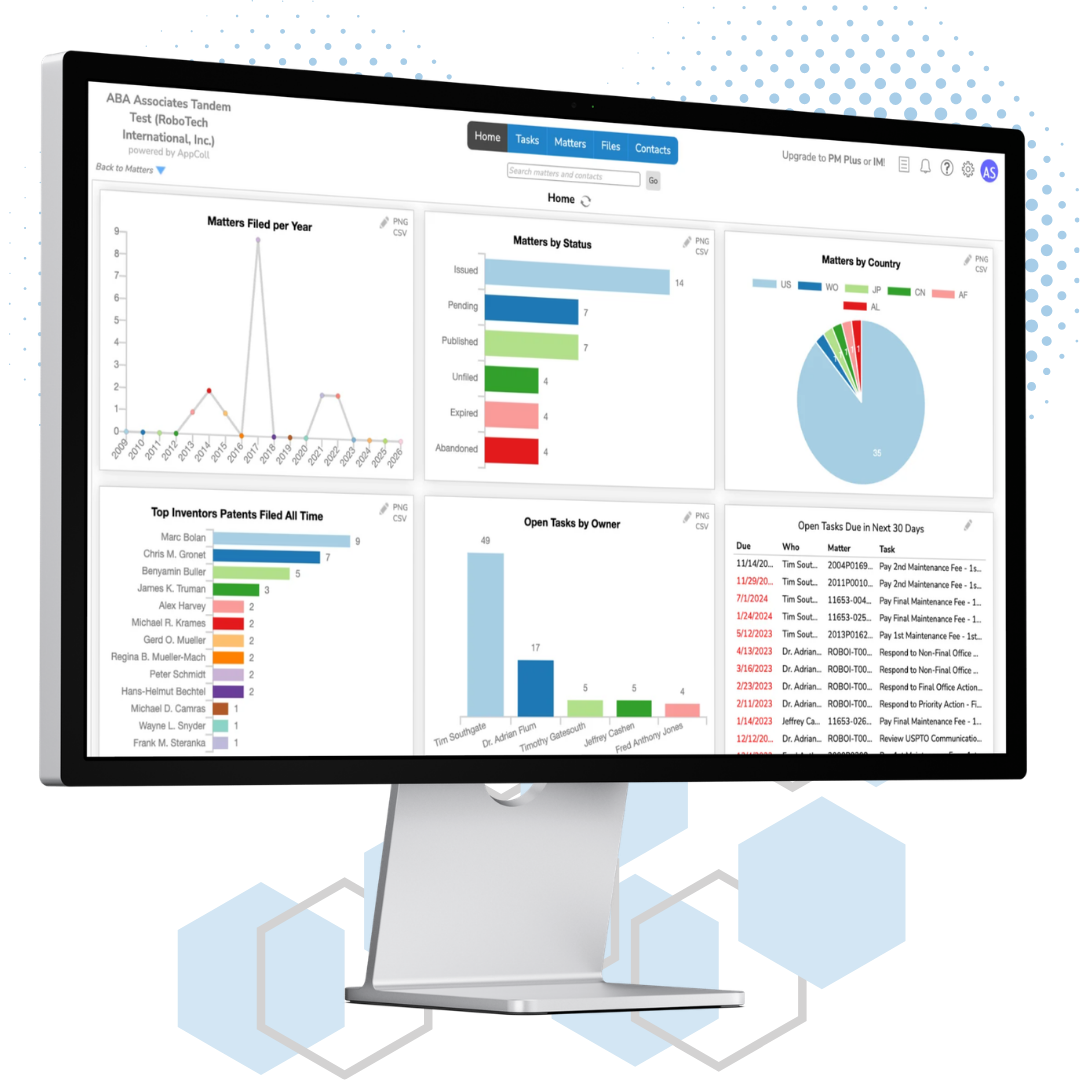
Review and accept the AppColl Service Agreement. Your Home dashboard opens with the portfolio your firm has shared, and it updates every night.
What you can do in Tandem
Everything your firm shares is organized into the same modules AppColl customers use every day. You can also add your own records alongside it.
Dashboard
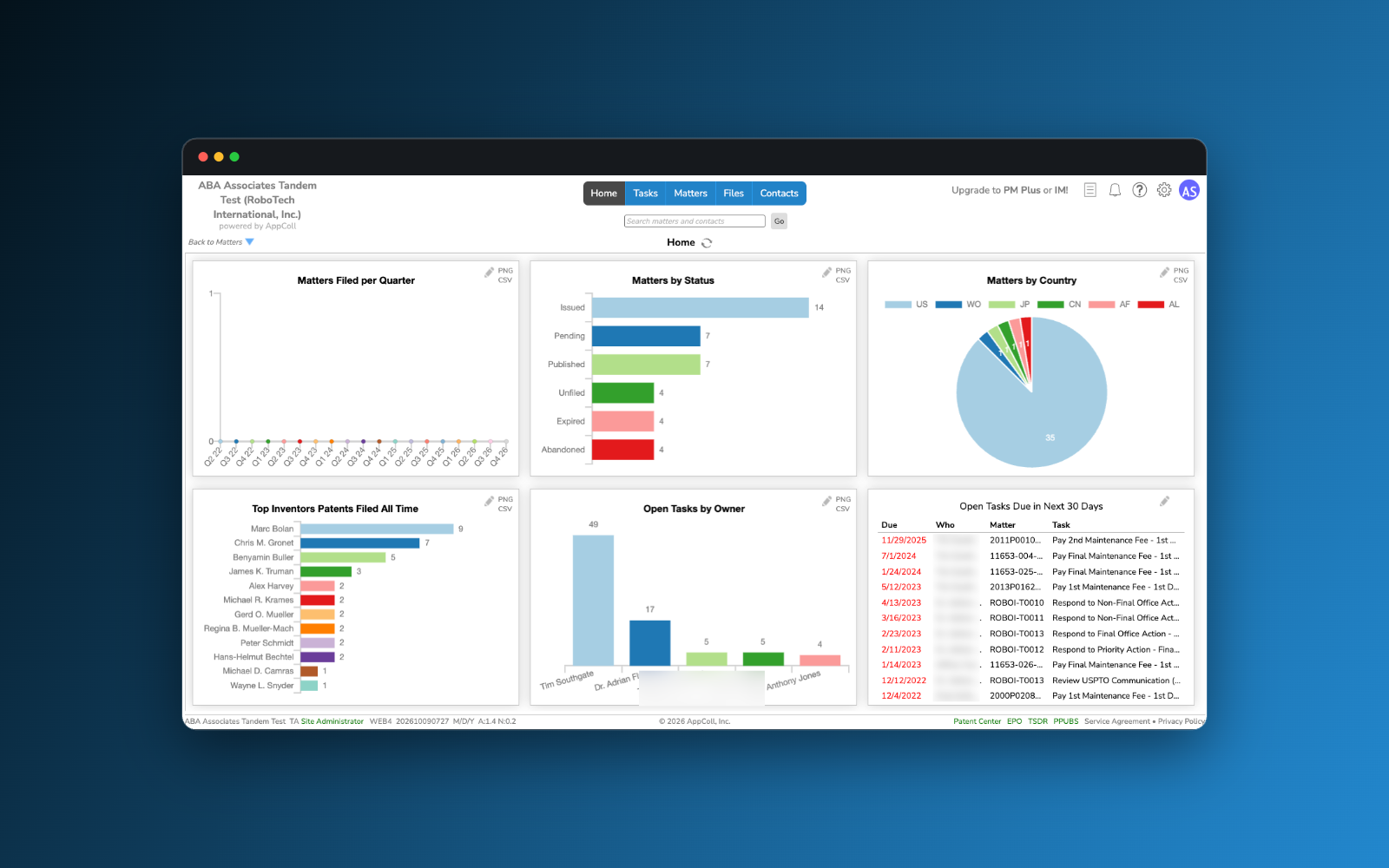
Your Home page shows six chart tiles, such as matters by country, top inventors and open tasks. Click any chart to see the records behind it.
Matters
Review every matter your firms share, with full details on each tab. Add matters of your own to track work outside AppColl.
Deadlines and tasks
See upcoming and overdue deadlines without asking your firm. Add your own tasks to the same list.
Files
Open the documents attached to your matters and tasks, organized in folders, and upload your own files next to them.
Contacts
Find the inventors, attorneys and other contacts tied to your matters, and add contacts for your own team.
Reports
Filter any list of matters, tasks or contacts and save the view as a report you can run again whenever you need it.
Why corporations use Tandem
Free for your company
There is no cost for a Tandem account and no limit on the number of users from your organization.
Your company owns it
The account belongs to you. Your law firms push data into it, and you decide who on your team can log in.
One view across firms
Matters from every outside counsel that uses AppColl appear together, so you are not logging in to a different portal for each firm.
Always up to date
Your firm's data syncs to your account automatically every night, with no spreadsheets or status emails.
No invitation yet?
Tandem accounts are created by your law firm from their AppColl account. What to do next depends on whether your firm uses AppColl.
Your firm uses AppColl
Ask them to set up Tandem
Ask your outside counsel to create a Tandem account for your company. They do it in a few minutes from the Tandem module in AppColl PM Plus, and it costs your company nothing. You will then receive the invitation described above.
Work with several firms on AppColl? Ask each one to sync to the same Tandem account.
Your firm does not use AppColl yet
Show them what you are missing
Without AppColl, you do not get a live view of your own portfolio. That means status emails instead of a dashboard, spreadsheets instead of reports on demand, and waiting to see documents after they are filed.
Introduce us to your firm and we will show them how AppColl works, including how they can set up Tandem for you at no cost to your company.
When you need more than a view
Tandem is read-only for the data your firms share. When your in-house team wants to run its own docket and budgets, upgrade the same account.
AppColl PM Corporate
Full docketing, a Finances module for legal spend, budgets and invoice review, and Patent Center automation. Your synced data stays in place.
Upgrade your Tandem accountInvention Manager
Collect, review and score invention disclosures before they reach your firm, alongside PM Corporate.
Explore Invention Manager