
PM Invent
Inventor ideas, captured in one disclosure form
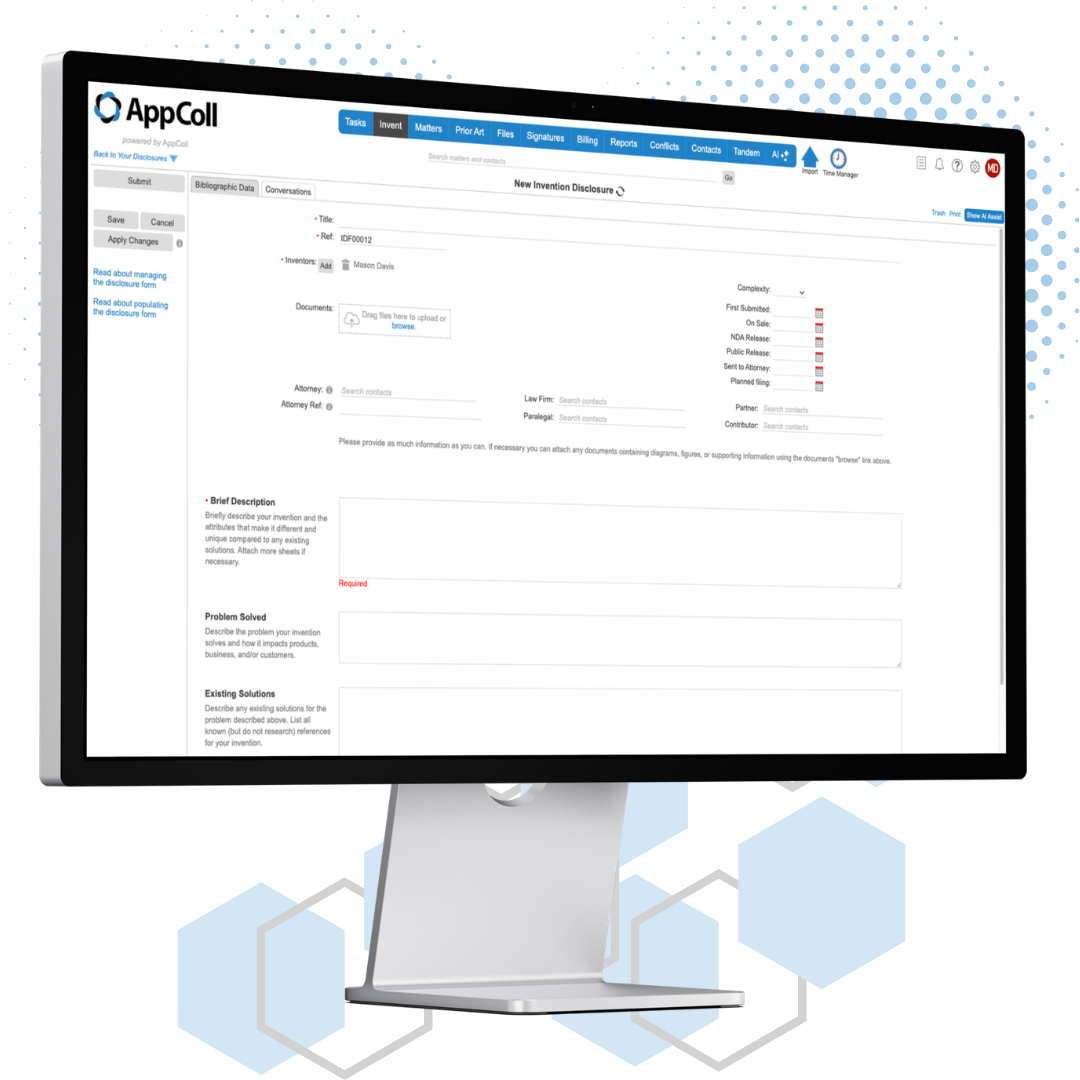
PM Invent gives law firms a simple, organized way to request and capture inventor ideas and contact information. Inventors submit their idea through an online Invention Disclosure Form hosted in your own AppColl® account. The easier it is for inventors to submit ideas, the more patent applications can be filed.
No more piecing a disclosure together from scattered emails and phone calls. Every question, document and comment for a disclosure lives in one place, and each submission follows the same flow, with automated communications between inventor and attorney.
From idea to application
1
Request a disclosure
Send a request to a new or existing inventor contact. The request creates their login and emails them instructions to set up a profile.
2
Inventor submits
Inventors answer the form's questions, upload documents, add co-inventors and comments, then submit when they are ready.
3
Attorney reviews
The assigned attorney is notified by email. They can file it, send the disclosure back for rework with comments, or mark it Do Nothing.
4
File
One click creates a provisional or non-provisional matter. Inventors, attorney and attorney reference carry over, and uploaded documents land in a Disclosure folder in the matter's files.
PM Invent Features
Customizable Disclosure Form
Build your Invention Disclosure Form from up to 48 questions. Edit the default questions to fit your firm.
Conditional Fields
Use queries to show or require a field based on how the inventor answered other fields, so inventors only see the questions that apply.
Automated Notifications
Inventors and attorneys get an email at each step, from the initial request to submission and rework. Use AppColl's default wording or edit it.
Default Attorneys
Choose which attorneys are assigned to new disclosures, so every submission reaches the right reviewer.
Comments and Committee Notes
Add comments to a disclosure at any time. Use Committee Notes for anything the inventor should not see.
Inventor Declarations
Once prosecution begins, send the inventor declaration for signature in a few clicks with the Signatures module, using DocuSign® or Adobe® Acrobat® Sign.
Built into your account
PM Invent is not a separate product with separate logins. The Invent module appears in your module bar alongside Matters, Tasks and Files.
Inventors see only their disclosures
Inventor logins open a simple page listing the disclosures they are named on. They never see Tasks, Matters, Files or any other data.
Control for your team
Only account admins can modify a disclosure or change its status. Who can request disclosures is set per user, and the module can be turned off for non-admins.
Secure inventor data
Inventor data is stored like the rest of your AppColl data: hosted on Amazon AWS in the US, with redundant storage on both coasts, and encrypted at rest and in transit.
Need more? Invention Manager®
PM Invent is built for law firms collecting disclosures from inventors. Invention Manager is designed for corporations choosing which ideas to file, and adds:
Customized workflows
Unlimited decision trees, actors and actions, with custom email notifications at every step.
Scoring and voting
Scoring matrices and independent committee voting on each disclosure.
Patent committee meetings
Schedule meetings and let inventors pick time slots to present their ideas.
Inventor awards
Calculate awards for disclosures, filings and issued patents, and send amounts to payroll.
Single sign-on and corporate hierarchy
Inventors sign in from your intranet, and HR data routes each disclosure to the right reviewers.
Easy upgrade
Moving from PM Invent to Invention Manager? We migrate your existing disclosures.